App Share: Loop Habit Tracker
A listener's experience with an open source habit tracking app for Android.

Editor's Note:
This article contains a link to YouTube, prepended by a [YOUTUBE WARNING] label. While the author originally included an Invidious link, we opted to provide the YouTube link for wider accessibility. Privacy-conscious readers are advised to copy the link into an instance of Invidious or Piped, and/or use a reputable VPN or TOR.
No time to spare, take me to the TL;DR!
If you're one of the millions of people across the world preparing for 2026 with a New Years Resolution, there's good reason to feel pessimistic. "Ditch New Years Resolutions Day" and "Quitters Day" are just two unofficial, humorously named, and depressingly early dates commemorating the common experience we face when attempting to form a new habit. And considering only 9% of us actually succeed in keeping our New Years Resolution past twelve-months, it's no wonder why.
Maybe you're not even a resolution setter. Maybe you're more of the bullet-journal type, but the annual redesign and upfront work is getting in the way more than guiding the way. Maybe you're a productivity guru looking for a new tool, or really love statistics—whoever you are, you've probably heard of a habit tracker at one point or another, and considered using one.
Far from a gimmick, habit trackers are actually proven to measurably improve your success in forming and maintaining new and existing habits by leveraging our natural reward systems and psychology to our advantage.
Tracking behavior has been shown to increase its likelihood to change, and as visual creatures, earning checkmarks or colored-in days rewards us with that motivation-building neurotransmitter we all know and love, dopamine. Combine that with a ledger where we can offload our intentions, and a record tallying the evidence we're transforming into the person we want to become, habit trackers are shaping up to be the simplest, most effective tool in making long-term, sustained change.
Because of this, it's no surprise habit trackers are a dime a dozen. It's also no surprise that many of these habit trackers are riddled with invasive privacy policies and mingling with unknown, unaccountable third parties hungry for our data. Over the years I've experimented with countless habit trackers and always walked away unsatisfied. When I took the plunge and switched to GrapheneOS and migrated almost entirely to FOSS apps, I figured my options were even more limited. That's when I came across Loop Habit Tracker.
First Impressions
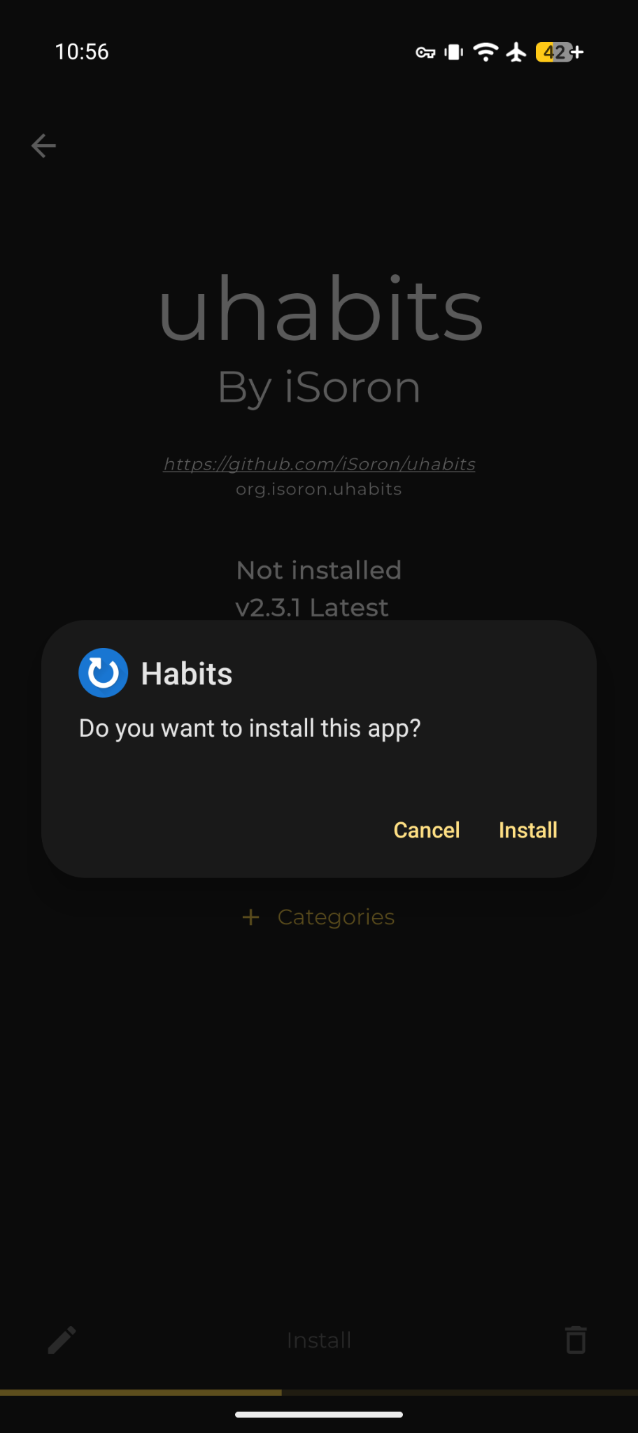
After downloading an application, GrapheneOS prompts the user to either allow or deny it Network Permissions. While many apps require these permissions for legitimate purposes, many more simply use them as the backroads for reporting telemetry. For that reason, I'm highly selective with the apps I allow Network Permissions, and I was pleasantly surprised to see that not only does Loop not request Network Permissions, it can't be granted them—full stop. In fact, the only permissions Loop asks for are Notifications, which can be denied at the sole loss of the app's reminder function. More on that later.
I was further impressed by Loop's onboarding: a simple, skippable, three-page overview of its core functionality, neither offering nor requiring an account, to boot. So far, so great.
Settings, Creating, & Editing Habits
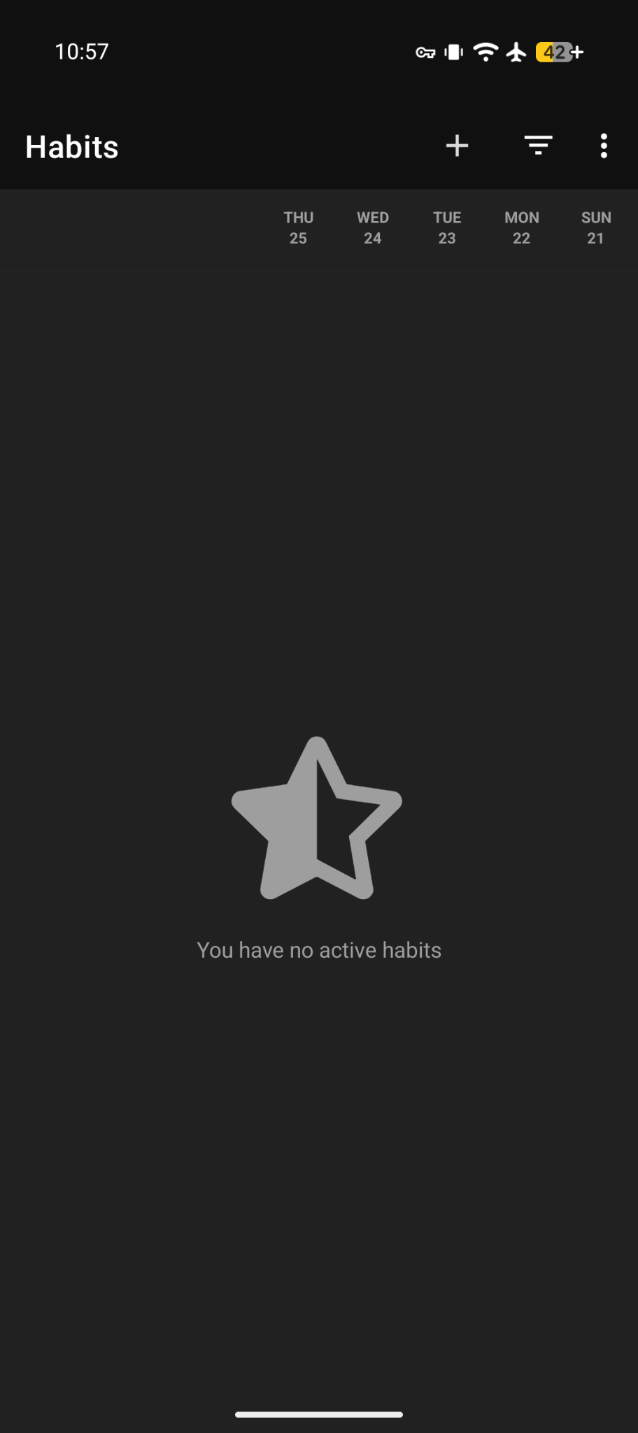
After onboarding, a clean, minimal interface greets you, with three glyphs in the upper-right corner: a plus sign, filter, and vertical ellipses. Let's start with the latter. Tapping it displays a drop-down menu with four options: Dark Theme, Settings, Help & FAQ, and About.
Settings navigates to a robust but straightforward and well-organized set of configurations, allowing you to tastefully tune Loop to your liking—everything from enabling skip days, displaying question marks for missing data, or changing the first day of the week. If notifications are enabled, you can decide whether they're "sticky", preventing them from being mindlessly flicked away from Notification Center, along with the standard customizations present in Android. At the bottom, you'll find options for importing and exporting backups. More on that later, as well.
Back on the main screen, tap the plus sign to create your first habit. Loop tracks two types of habits: 'Yes or No' or 'Measurable'. 'Yes or No' habits track binary behaviors, e.g., "Did you read today?", or "Did you go for a run?". 'Measurable' habits are more flexible, allowing you to track how much of a habit you performed, e.g., "How many minutes did you read today?", or "How many miles did you run?".
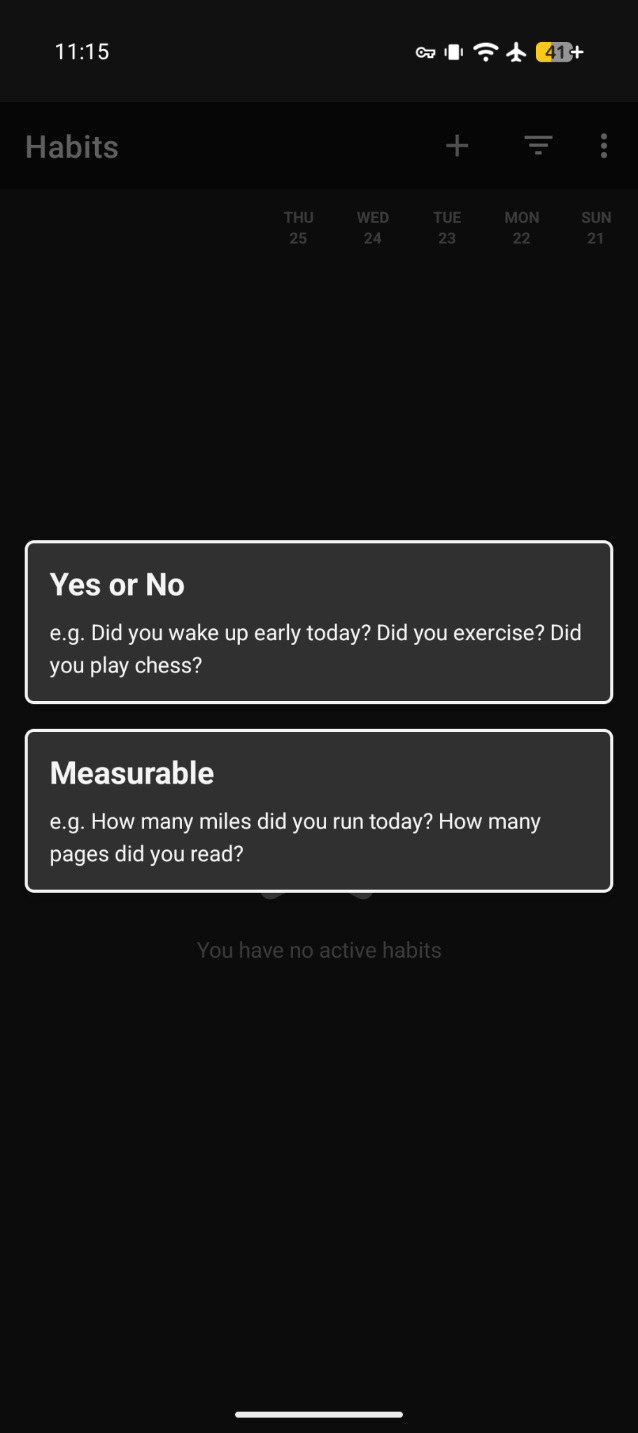
Choose the type of habit you'd like to track, and you'll be prompted to name your habit and assign it one of twenty, playful, pastel colors. Then, you can input a question to be prompted with each time you mark the habit completed.
Next, if you're creating a 'Yes or No' habit, you'll set the frequency you desire to perform the habit—every day, every x number of days, x number of days per week or month, or x days in x days. If you're creating a 'Measurable' habit, you'll need to decide the unit you're measuring, along with the target unit to achieve, the frequency—in this case, daily, weekly, or monthly—and finally, the target type, e.g., is this at least x units, or at most x units.
Both types of habits can remind you to track your progress at a specified time, provided Notifications Permissions are allowed. These reminders come in handy on busy days, and especially with infrequent habits that often slip our mind.
If at any point, you want to edit a habit, long-press it. A pencil icon will appear, and tapping it will allow you to revise and save your updated habit. Likewise, tapping the vertical ellipses will provide options to delete or archive habits. Once a habit is deleted, it cannot be recovered; archived habits will grey out and shift to the bottom of your list, or, if 'hide archived habits' is enabled, will disappear until manually shown again.
Tracking & Statistics
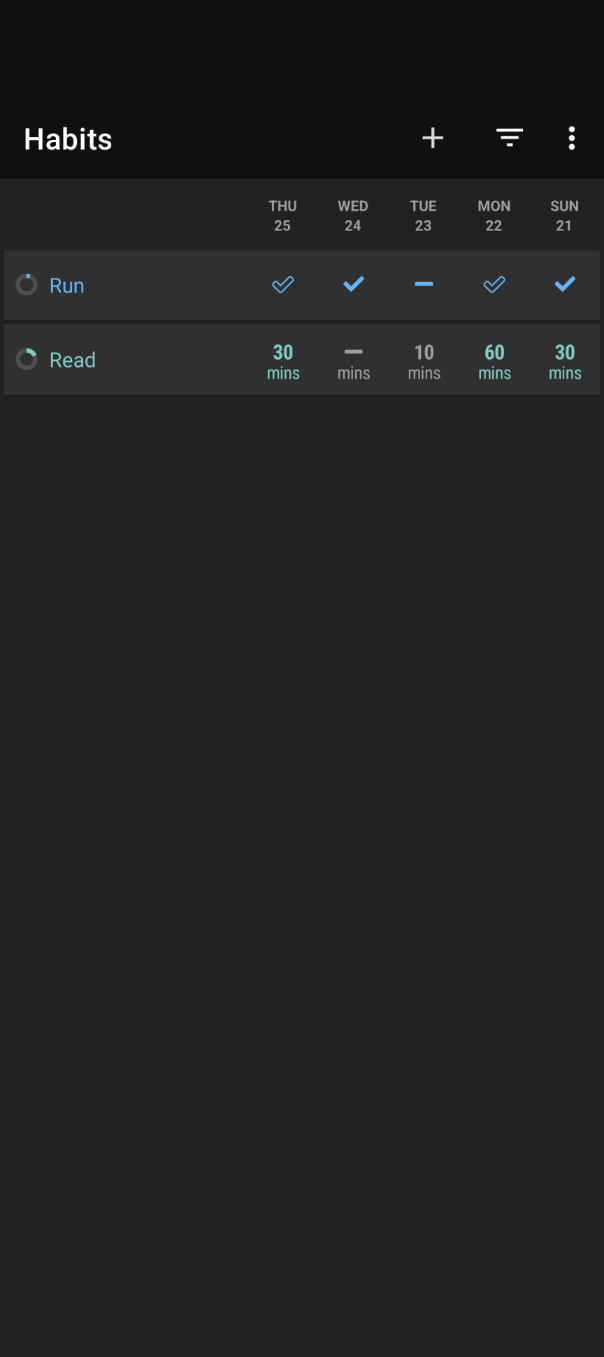
Once you've created your first couple of habits, it's time to start tracking them. 'Yes or No' habits are tracked via checkmarks for completions and x-marks for misses. Hollow check marks indicate when a habit does not need to be performed, according to the frequency you set. 'Measurable' habits are tracked via the units you specified— miles, minutes, words, ounces. Units meeting or exceeding your target match the color of the habit itself, whereas units falling short of your target display grey, however they still count towards your statistics. Speaking of which, let's tap on a habit and dive into them.
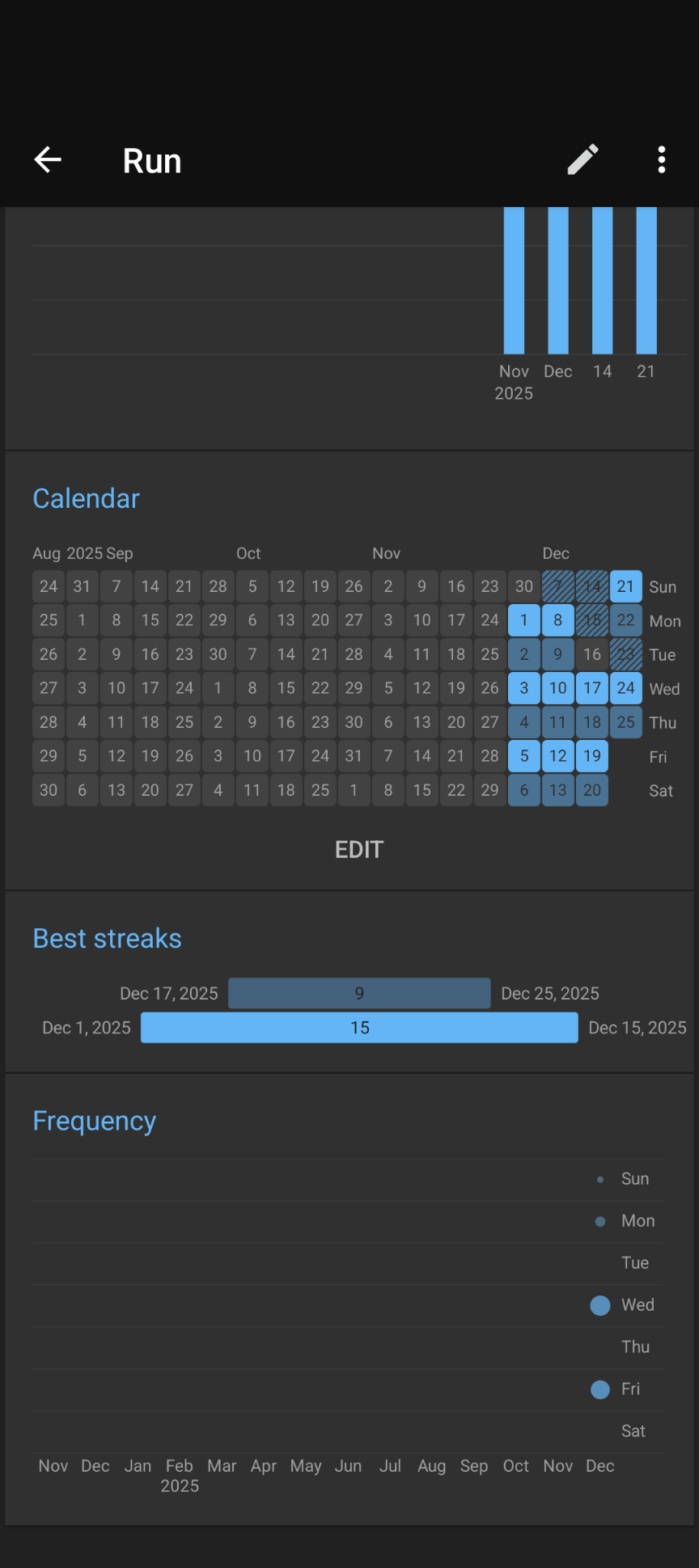
This is where Loop really began to shine. Most habit trackers offer some form of statistics, but many are bloated, confusing, unclear, or worse, paywalled. Consistent with what we've seen so far, Loop's Statistics maintain a simple and elegant aesthetic, while offering robust information, broken down into seven sections.
- Overview ('Yes or No' Habits)
- At-a-glance completion percentage and total completion count.
- Target ('Measurable' Habits)
- Filterable by day, week, month, quarter, or year.
- Snapshot of progress, calculated based on frequency (in the case of 'Yes or No' habits) or the target (in the case of 'Measurable' habits).
- Progress can be recalculated if you edit a habit's frequency or target.
- Score
- Filterable by day, week, month, quarter, or year.
- A weighted average of how often habits are completed using a statistical method called exponential smoothing.
- History
- Filterable by day, week, month, quarter, or year.
- Bar graph displaying total amount of times a habit is completed in a specified duration.
- Calendar
- Bird's eye view, indicating completed or exceeded habits with colored in days, missed or unmet habits with grey days, and skipped days with diagonal hatching.
- Best Streaks
- Running history of habits completed consecutively, displaying the dates streaks occurred between and the total amount of days the streak spanned.
- Frequency
- Dynamic dot-graph indicating the frequency a habit is completed each day of the week.
- The transparency and size of the dot grows darker and larger with more frequently completed per day, and lighter and smaller the less frequently completed per day.
Quality of Life & Extras
At this point, I was sold. Modern, minimalist FOSS apps are hard to come by—niche apps like habit trackers are an even rarer breed. However, Loop has a few other quality of life functions that really add the finishing polish generally reserved for the subscription-based, invasive apps we're looking to avoid.
Backups, Exports, & Imports
To compensate for it's always-offline nature, Loop offers full backups, exportable to everything from your favorite end-to-end encrypted messenger or mail provider, notes app, password manager, file manager, or cloud service, as well as CSV, for anyone looking to analyze their data in spreadsheets.
These backups can be instantaneously imported with a tap, and for anyone using alternative habit trackers such as Tickmate, HabitBull, or Rewire, Loop can import their data, as well.
Filters
Remember that filter glyph? Tapping it will display another drop down menu, offering the ability to show and hide archived habits and 'entered' habits (meaning habits already completed that day).
You can also choose to sort your habits by name, color, score, or status, as well as manually. That last one might not seem like a big deal, but as somebody who has experimented with a plethora of productivity apps, having the ability to manually sort my data, whether it's habits, tasks, or notes, is a major win.
Widgets
As somebody rocking a [YOUTUBE WARNING] stock black background myself, widgets aren't a feature I'll ever utilize. That said, Loop yet again goes above and beyond, offering six interactive, re-sizeable widgets spanning checkmarks to statistics for anyone who needs an extra cue to keep up the good work.
Extensive Settings
Beyond fine-tuning the habit tracker, Loop gives users extensive control over the look and feel of the app itself—from enabling pure black dark themes to optimize battery life on AMOLED displays to disabling animations entirely, adjusting widget opacity, and changing taps from toggles to short-presses.
Performance & FAQs
In all of my time with Loop, it has never once crashed, frozen, or otherwise encountered a bug. Performance is buttery smooth and battery usage is negligible. It may be easy to write off, considering how simple and straightforward an app such as Loop is—at the end of the day, it's a habit tracker—but in the world of FOSS apps, only a rarefied few can claim high-performance, utility, user-experience, and aesthetics, all without costing a penny.
Lastly, Loop has in-depth FAQs for practically any confusion or issue that might arise, and it's always a tap away.
Wish List
It seems the developers thought of everything. Well, close to everything. Nothing is perfect, and if I had to nitpick, there are a few small things I'd love to see added in future updates.
At the present, Loop has no ability to lock or unlock, either with biometrics, pin, or pattern. As someone who oscillates between relying solely on the fingerprint reader on my phone and ensuring it never ends up in the wrong hands, and enabling biometric authentication on every app that offers it, I go back and forth on how essential this feature is. However, our habits do paint a vivid picture of our life, and what our values, goals, successes, and struggles are, and for that reason, having the ability to secure our tracker would be a welcome addition.
On the same note, while Loop can archive habits, there's no ability to hide specific habits. For the reasons mentioned above, I'd like to see the ability for users to tuck away and secure specific habits.
While I haven't encountered this in my own use-case, I have spoken with someone else who mentioned they would like to be able to set multiple reminders for one habit. I can see this being useful in a couple instances. First and foremost, being able to set the amount of reminders you receive gives you greater control over your habits, and might be the extra nudge you need to accomplish them. There's also more niche instances, such as tracking a medication taken in the morning and evening. At present, you would have to create a habit for the morning medication and the evening medication to receive a reminder for each.
Lastly, the pinnacle of nitpicking, first-world complaints—for users tracking many habits, the twenty built-in colors can become limiting. I'd love to see, in addition to the preset options, the ability to pick colors based off their RGB or HEX value.
Last Thoughts
Loop is the most fully-fledged, complete habit tracker I've used, outpacing it's FOSS and paid, proprietary competition alike. I would recommend it to anyone looking to level up their habit-tracking by leveraging their psychology to drive progress, or simply wanting to generate the statistics to artfully display in r/dataisbeautiful.
Whatever your reason is, if you're on the hunt for the best habit tracker, Loop is it.
TL;DR
- Loop Habit Tracker is an always-offline, minimalist, free and open-source Android app.
- The app tracks binary and measurable habits.
- Generated statistics are clear, concise, and at-a-glance, while displaying comprehensive information in a variety of views.
- Only Notification permissions are requested, and app performance is buttery smooth and battery-friendly.
- Quality of life features make the app customizable and user-friendly.
- If you're on iOS, or desire an online, syncable habit-tracker, biometric or password authentication, Loop isn't for you.
- If you're looking for a modern, straightforward, and entirely private habit tracker that nails the basics and beyond, you might enjoy this app.